

Level 1 · nine classes · a room of eight
What you build in each class.
Enquiries lost in WhatsApp chats. Follow-ups you forgot to send. The same quote typed again and again. In nine classes, 18 hours in total, in person with me, you build the system that fixes this, on your own work. Every class ends with one thing that works.
No hacks. No 10-minute builds. No promise of easy money. One working system, built step by step, that you understand and can fix yourself.
9 classes and 18 classroom hours. ₹12,800 including GST, paid once. On top, your own ChatGPT plan, paid to OpenAI: the tool is yours and stays yours after the last class. Depending on how much you use the agent, that is about ₹2,000, ₹10,000 or even ₹20,000 a month. These are approximate; check OpenAI’s current price before buying.
What you build
What you leave with after nine classes
Your own AI assistant on your laptop
Codex, an app made by OpenAI. It is connected to your Gmail, Google Drive and Calendar, and it knows your business.
A business plan you have tested
You write it, the AI points out the weak spots, ten real people tell you what they think, and you fix it.
Your own customer list (a CRM)
Every enquiry, every follow-up and where each one stands, in one place, not lost in WhatsApp chats.
Your own website
Live on the internet, with a link you can send to anyone, built by you with AI.
Your own AI assistant on WhatsApp
Linked to your customer list. You message it like a person. Forward it a customer's message and it saves the enquiry. It makes quotes, reminds you to follow up and writes replies for you to send.
A certificate
Only when your system works.
You also use AI for research, data analysis and video editing on your own business. You also build one extra tool, like sending quotations or a dashboard that shows your numbers.
From my notebook, 8 October 2026, typed up so you can read it.
The table below says what happens in each class.
Class by class, what is built
Nine classes. One thing finished each time.
| No. | In the class | You leave with |
|---|---|---|
| 01 | Set up your AI and your planInstall Codex, the app from OpenAI, on your laptop and connect it to your Gmail, Google Drive and Calendar. Add noguess, a free set of instructions that makes the AI ask you questions instead of guessing. Answer ten questions about your business in your own words, and the AI points out every gap in your plan until you have answered each one. Then save your first skill: one job you do again and again, written down once so the AI does it the same way every time. |
Your AI ready, your business plan and your first skill |
| 02 | Test your plan on real peopleTurn the weakest parts of your plan into a short Google Form and send it to ten people who are not your friends. In the next class, their answers either confirm your plan or change it. You also watch AI do research, data analysis and video editing, and try each one on your own business. |
A plan checked by real people |
| 03 | Your websiteBuild your website from your plan, in your own words, with the button your customers need to contact you. It goes live in the class, with a link you can send to anyone. |
A live website you can send to anyone |
| 04 | Your customer list (CRM)First write down, step by step, how your work moves. Then build your own customer list on it: a CRM with its own database, which is simply the table where every enquiry is saved. It connects to your website, with one screen to run it. |
Every enquiry in one place, owned by you |
| 05 | Your personal assistant on WhatsAppBring your AI into WhatsApp, on a second number, and message it like a person. Ask it "who enquired today?" Forward it a customer's message or send a voice note, and it saves the enquiry in your customer list. It makes a quote and sends it to you to forward, reminds you to follow up and writes replies for you to send. Enquiries from your website form go into your customer list by themselves. On WhatsApp it works one chat at a time and sends no bulk messages. |
Your own AI assistant on WhatsApp |
| 06 | Join it all and test itYour website, customer list and WhatsApp joined into one system. You run one real enquiry from start to finish and fix whatever breaks. |
One working system, tested |
| 07 | LaunchPut your website and your system to work on your real business, with me in the room to fix what breaks. |
Your system live and taking enquiries |
| 08 | One more tool for your businessBuild the one extra thing your business needs most: sending quotations, taking bookings, or a dashboard that shows your numbers. Made for your work, on top of your system. |
One extra tool built for your business |
| 09 | Keep it running, then build the next oneLearn to back up your work, fix a mistake and keep your data safe, and how to start your next project the same way. Then you show your system working. |
Your certificate, given only for a working system |
Nine classes, 18 classroom hours: every class two hours, on weekdays or at the weekend. You start when a chair is free and choose your days. 8 students per class maximum. For working professionals and business owners aged 24 to 48.
Nothing invented. Every guess labelled. The machine asks you; you do not guess for it.The rule in every class
How every class moves
See it. Do it. Bring it back.
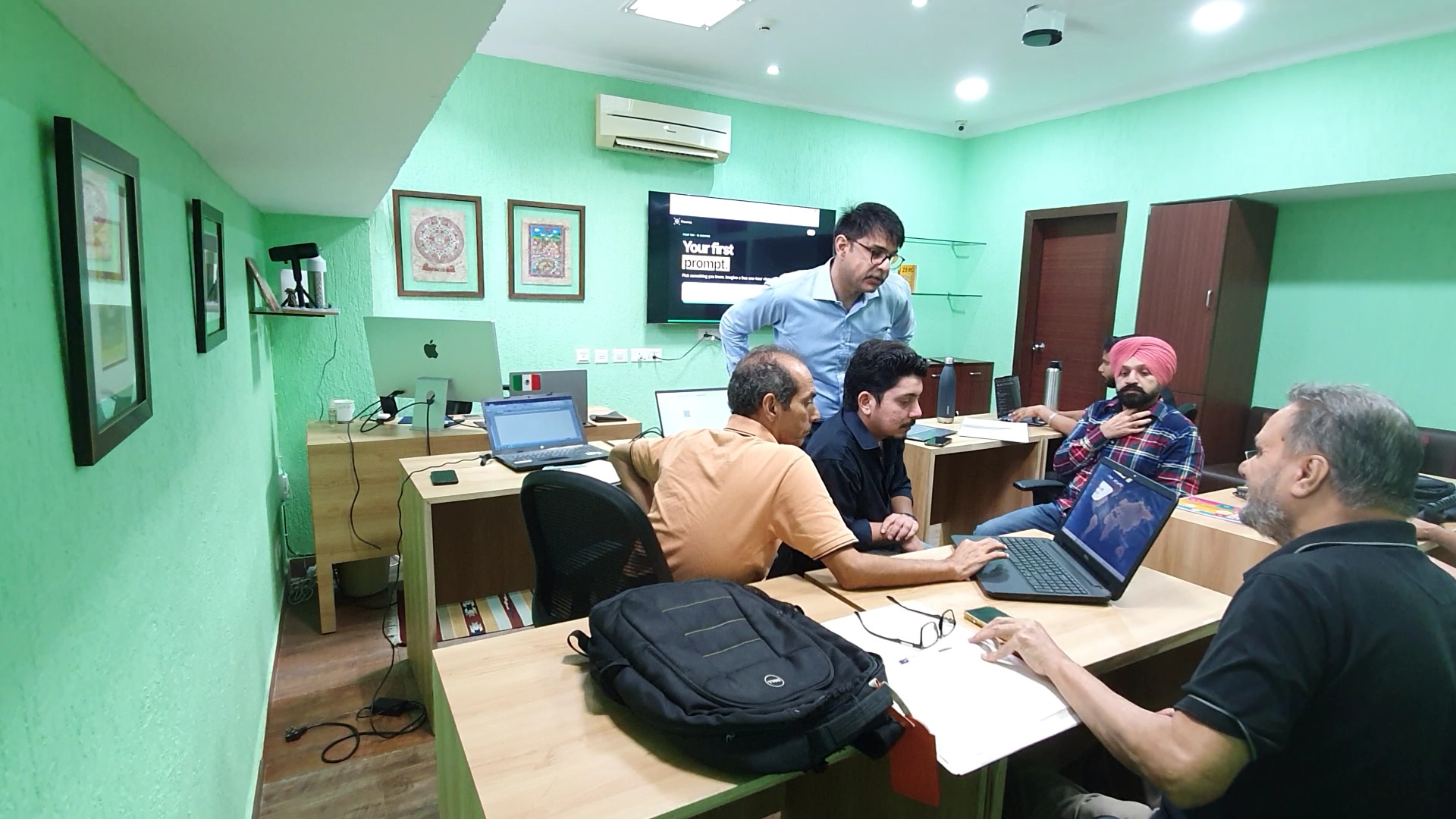
Every class introduces one thing, gives you time to build it with the machine while I walk the room, and ends with it working. Between classes you use it on your real work. Next class starts with what broke.
Eight chairs, because I want to see every screen. Nobody disappears at the back of the room.
What you need
A laptop, a plan, and a business to point it at.
- A laptop with at least 8 GB of RAM.Windows or Mac. We install Codex on it in the first class.
- Your own ChatGPT plan.Plus or higher, bought by you from OpenAI. Codex runs on it. Not included in the fee. Depending on how much you use the agent, that is about ₹2,000, ₹10,000 or even ₹20,000 a month. These are approximate; check OpenAI’s current price before buying.
- A second WhatsApp number.For your AI assistant, separate from your business number. We talk it through in the free class.
- A business, a practice or a department.Real enquiries, real numbers, a plan you carry in your head. The course is built on yours, not on a sample.
Syllabus questions
What people ask about the nine classes
What might cost extra to keep my tools running?
Your ChatGPT subscription is separate. Domains, hosting, databases or a second WhatsApp number may also cost extra, depending on what you choose; free tiers have limits. We discuss these choices before you commit. Work running on your laptop needs it awake, connected to the internet and within your AI plan’s usage allowance.
What do I get after the course?
Every GrowTricity student, current and past, is in our WhatsApp community. We share new AI tools, news and working methods there as they come out, so you keep learning after the course. It is a community, not a support desk: new builds, maintenance and running your business systems are separate and agreed with you.
Is this for a complete beginner?
Yes. It assumes no coding and no AI experience beyond asking ChatGPT questions. The first class sets up Codex together, step by step, on your own laptop. You do need basic computer skills: installing software, copy and paste, taking screenshots and attaching files.
Is there homework?
One thing after each class: use what you built on your real work before the next class. There is no written assignment. Next class starts with what broke.
When are the paid classes?
Classes run every day of the week and you choose which days to come until your 18 classroom hours, 9 classes of two hours each, are done. Monday to Friday, classes run from 10 AM to 12 PM or from 4 PM to 6 PM. Saturday and Sunday, classes run from 11 AM to 1 PM, so working professionals can attend without taking leave. Each class has 8 students maximum, and you start when a seat is free, so your exact class dates are confirmed during enrolment.
How long does it take and what does it cost?
9 classes and 18 classroom hours, usually over two to three weeks: every class two hours, on weekdays or at the weekend. ₹12,800 including GST, paid once, UPI, card or cash. The free one-hour class comes first. Your ChatGPT Plus plan is extra.
Do I have to have a business already?
No, but you need something real to point the machine at: a practice, a department you run, or a plan you are serious about. The ten questions in class one work for a salaried professional as well as for an owner.
Will I learn to code?
No. The machine writes the code. You learn to tell it exactly what you want, make it ask instead of guess, check what it built and put it live. That is a different skill from typing code, and it is the one this course teaches.
What about video, research, analytics and dashboards?
Research, data analysis and video editing are shown in class 2 and you try each one on your own business. Quotations, bookings or a dashboard for your numbers can be the extra tool you build in class 8. Your website, CRM and WhatsApp are the projects you finish.
Is there a certificate?
Yes, but only for a working system. In the ninth class you show your website, CRM and WhatsApp working together, and then you get the GrowTricity certificate in using Codex from ChatGPT. It is from GrowTricity, not from OpenAI. Share your public website or a demo with sample data. Keep customer records in your CRM private.
Before you decide
Sit in the free class first.
One hour, in the room, with me. Watch one real task, ask what you like, then decide whether the nine classes are for you.